> ## Documentation Index
> Fetch the complete documentation index at: https://help.ciclostrategy.com/llms.txt
> Use this file to discover all available pages before exploring further.
# Roadmap
> Turn strategy into initiatives organised across Now, Next, and Later — and track them quarter by quarter.
## Overview
The Roadmap is where strategy meets execution. It organises your team's initiatives into
three time horizons so you can prioritise the present while keeping sight of what's coming:
Initiatives you're working on this quarter.
Planned for the following quarter.
On the longer-term horizon.
Each initiative is a card you can drag between horizons as priorities shift. Quarterly
targets from your roadmap appear automatically on the [Strategy page](/features/strategy),
creating a visible link between strategy and delivery.
 ## Create and manage initiatives
Pick your team, then choose **Roadmap** in the sidebar to see the board.
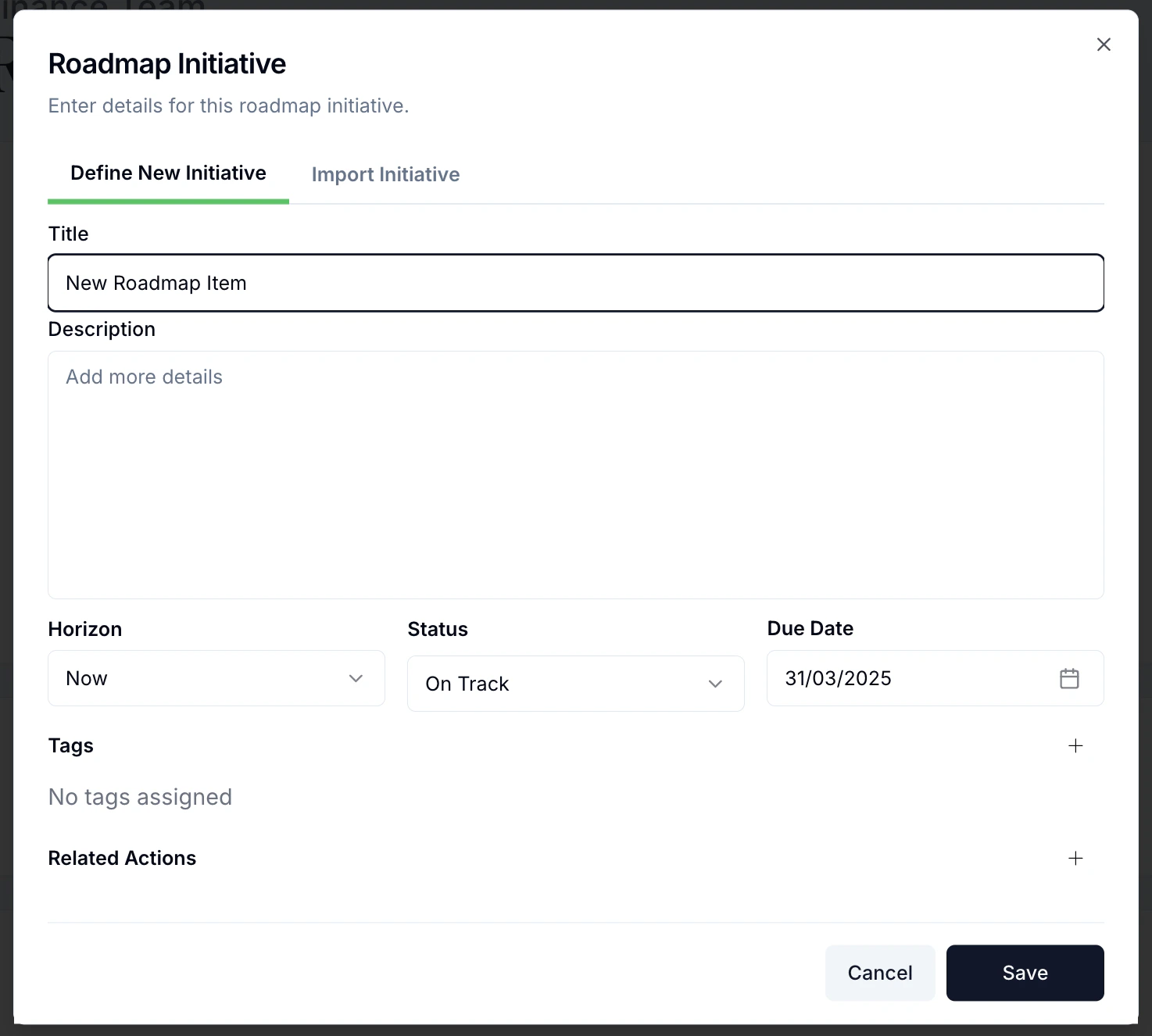
Create a **New Initiative** and fill out its details:
* **Title** — a clear, concise name (e.g. "Create new reporting cadence").
* **Description** — why you're doing it and what it involves.
* **Horizon** — Now, Next, or Later.
* **Status** — On Track (default), At Risk, Off Track, or Complete.
* **Due date** — defaults to the end of the selected quarter; adjust as needed.
## Create and manage initiatives
Pick your team, then choose **Roadmap** in the sidebar to see the board.
Create a **New Initiative** and fill out its details:
* **Title** — a clear, concise name (e.g. "Create new reporting cadence").
* **Description** — why you're doing it and what it involves.
* **Horizon** — Now, Next, or Later.
* **Status** — On Track (default), At Risk, Off Track, or Complete.
* **Due date** — defaults to the end of the selected quarter; adjust as needed.
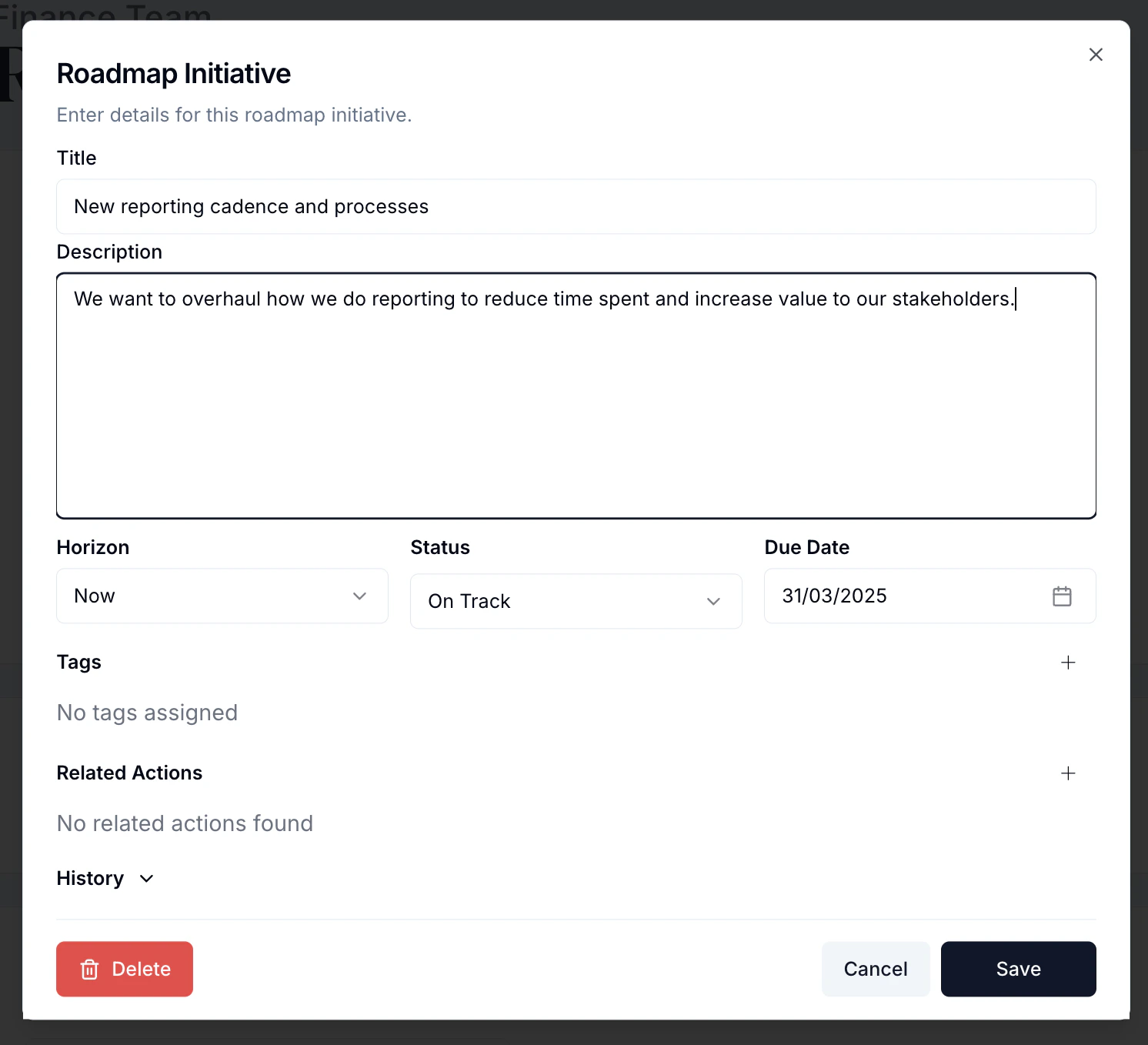 In **Related Actions**, add the concrete steps needed to deliver the initiative. These
flow straight onto your [Actions](/features/actions) board.
In **Related Actions**, add the concrete steps needed to deliver the initiative. These
flow straight onto your [Actions](/features/actions) board.
 Save, and the initiative appears as a card in its horizon. A coloured bar shows status
at a glance — green (On Track), orange (At Risk), red (Off Track), grey (Complete).
Save, and the initiative appears as a card in its horizon. A coloured bar shows status
at a glance — green (On Track), orange (At Risk), red (Off Track), grey (Complete).
 ## Work the board
Drag a card to a different column to change its horizon. The roadmap is a living
document — move cards as circumstances change.
## Work the board
Drag a card to a different column to change its horizon. The roadmap is a living
document — move cards as circumstances change.
 Open a card and update its status as work progresses. The coloured bar updates so
everyone can see where attention is needed.
Open a card and update its status as work progresses. The coloured bar updates so
everyone can see where attention is needed.
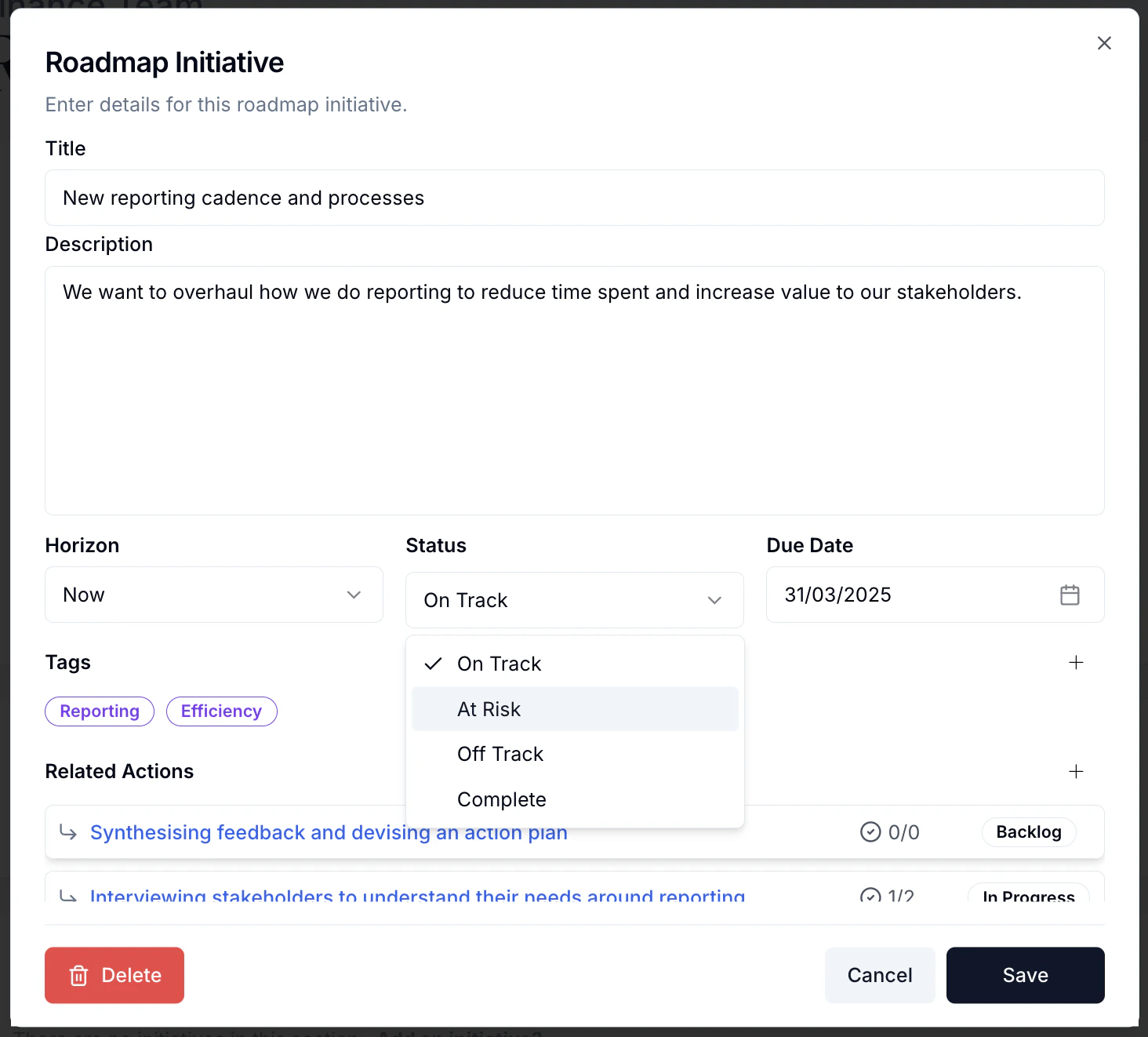 Each initiative keeps a **History** log of changes over time, giving accountability and
showing how it has evolved.
Use the insight action to understand which parts of your roadmap are strong and how to
improve the rest.
## Stay aligned across teams
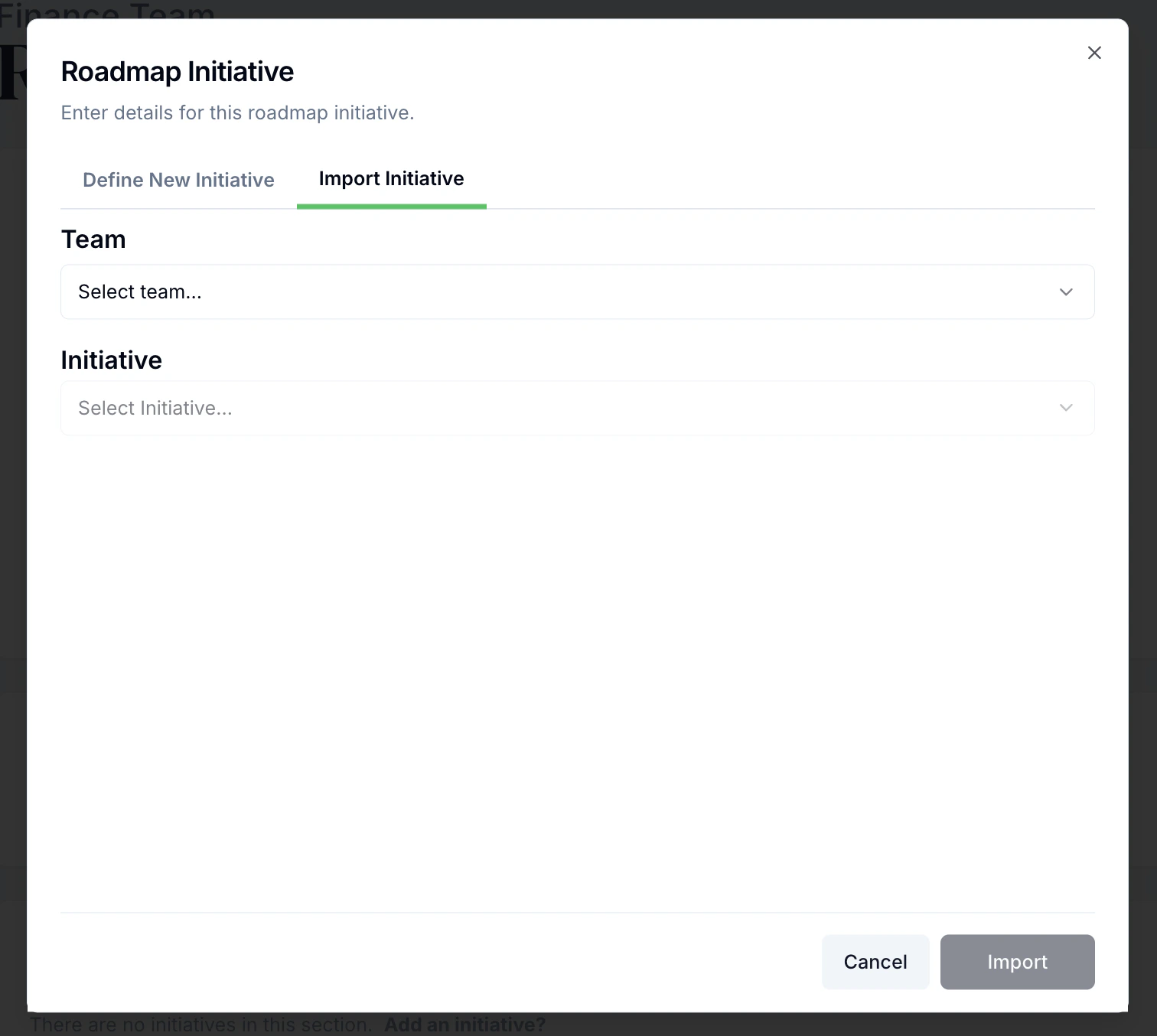
When creating an initiative, use **Import initiatives from other teams** to pull in an
initiative from elsewhere in the organisation so strategic work cascades appropriately.
Each initiative keeps a **History** log of changes over time, giving accountability and
showing how it has evolved.
Use the insight action to understand which parts of your roadmap are strong and how to
improve the rest.
## Stay aligned across teams
When creating an initiative, use **Import initiatives from other teams** to pull in an
initiative from elsewhere in the organisation so strategic work cascades appropriately.
 ## Best practices
* **Align with strategy** — every initiative should support a strategic goal.
* **Be realistic** — don't overload **Now**; be honest about a quarter's capacity.
* **Review monthly** — keep status current and reprioritise regularly.
* **Break down large initiatives** — if it won't fit in a quarter, split it.
## Related
## Best practices
* **Align with strategy** — every initiative should support a strategic goal.
* **Be realistic** — don't overload **Now**; be honest about a quarter's capacity.
* **Review monthly** — keep status current and reprioritise regularly.
* **Break down large initiatives** — if it won't fit in a quarter, split it.
## Related