> ## Documentation Index
> Fetch the complete documentation index at: https://help.ciclostrategy.com/llms.txt
> Use this file to discover all available pages before exploring further.
# Teams & permissions
> How Ciclo organises work by team, the Admin / Editor / Member roles, and how strategy cascades from your Executive Team.
## Overview
Ciclo is organised around **teams** within your **organisation**. Each team has its own
strategy, roadmap, KPIs, and actions, and every person is given a **role** on each team
that controls what they can do.
## Teams
* Each team is a self-contained workspace with its own strategy, roadmap, performance, and
actions.
* You switch between the teams you belong to using the **team selector** on the home page.
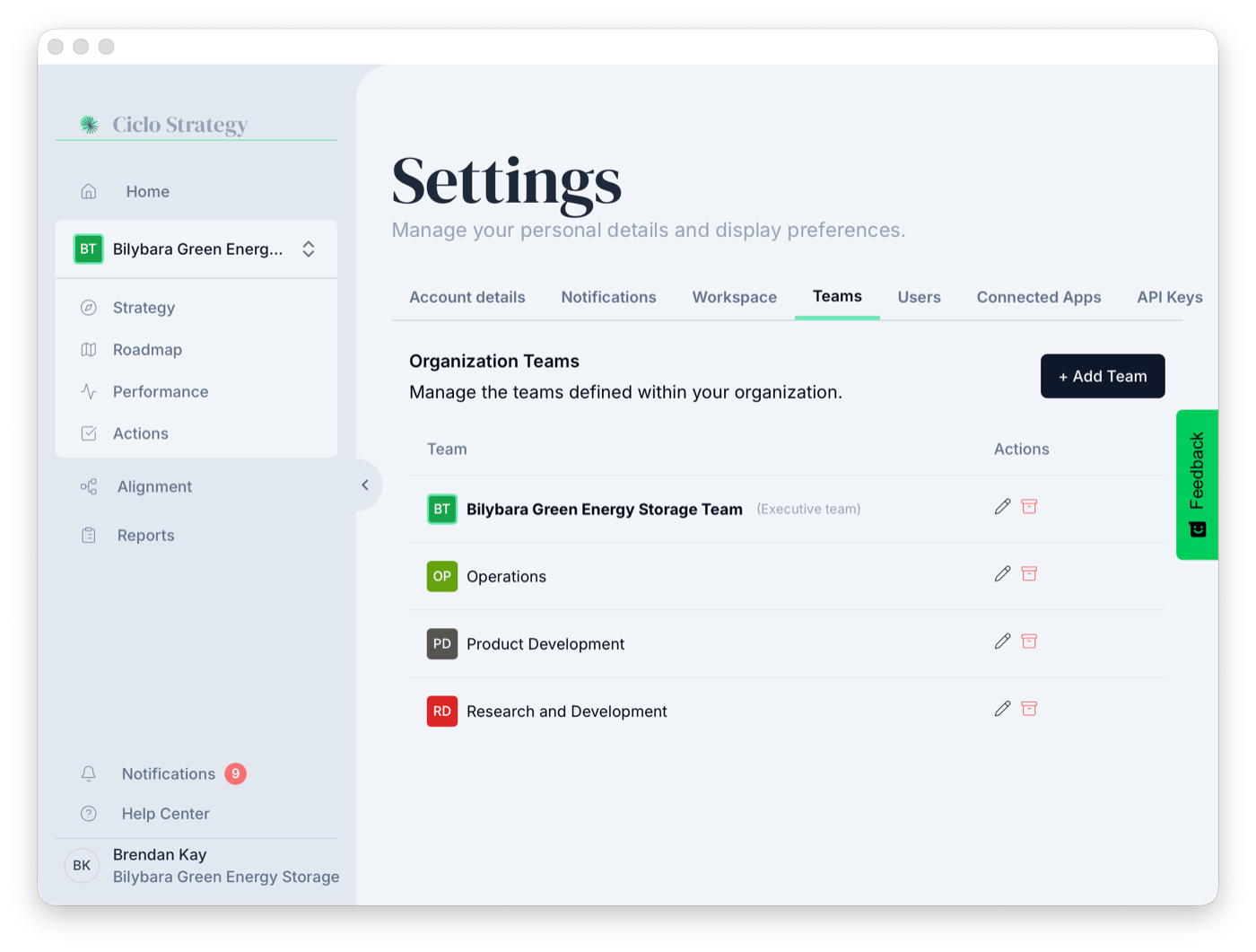
* Teams are created in **Settings → Teams**, where each has a **name**, **initials**, and
**colour** used as a visual marker across Ciclo. Teams you no longer need can be
**archived** and restored later.
* Many features let you **link** or **import** items between teams (a goal, KPI, or
initiative), so the organisation stays aligned while each team keeps its own focus.
 ## The Executive Team
One team can be marked as your **Executive Team** — the origin point for **strategy
cascading**. Strategy elements defined here can flow down to other teams (who import and
link them), and the home page's **Are we on track?** section follows its headline goals.
Setting an Executive Team also improves the quality of Ciclo's AI analysis.
```mermaid theme={null}
flowchart TD
O["Organisation"] --> E["Executive Team
## The Executive Team
One team can be marked as your **Executive Team** — the origin point for **strategy
cascading**. Strategy elements defined here can flow down to other teams (who import and
link them), and the home page's **Are we on track?** section follows its headline goals.
Setting an Executive Team also improves the quality of Ciclo's AI analysis.
```mermaid theme={null}
flowchart TD
O["Organisation"] --> E["Executive Team
org-wide strategy"]
E -->|strategy cascades down| A["Team A"]
E -->|strategy cascades down| B["Team B"]
E -->|strategy cascades down| C["Team C"]
```
## Roles
Each user is assigned a role **per team**, so someone can be an Admin on one team and a
Member on another:
Full control of the team, including its settings and members.
Can create and edit the team's strategy, roadmap, KPIs, and actions.
Can participate in and view the team's work.
You only see the teams you're a member of. Being added to a team with an appropriate role
is what gives someone access to that team's data. Some organisation-wide settings are
limited to administrators.
## Common tasks
Add someone and assign their team and role.
Create teams and change roles in Settings.
## Related