

Overview
Connecting QuickBooks Online brings your financials into your strategy. Ciclo reads your Profit & Loss, Balance Sheet, Cash Flow, and invoice data so the numbers that matter — profit, cash, receivables, overdue invoices — appear as KPIs alongside the rest of your strategy and refresh automatically. The sync is read-only (QuickBooks → Ciclo): Ciclo reads your accounting data to populate KPIs and never changes anything in QuickBooks.Connecting and configuring integrations is limited to organisation administrators.
QuickBooks does not link to Actions — it powers financial KPIs only.
Connect QuickBooks
Open Connected Apps
Go to Settings from the account menu, open the Connected Apps tab, find
QuickBooks, and select Connect.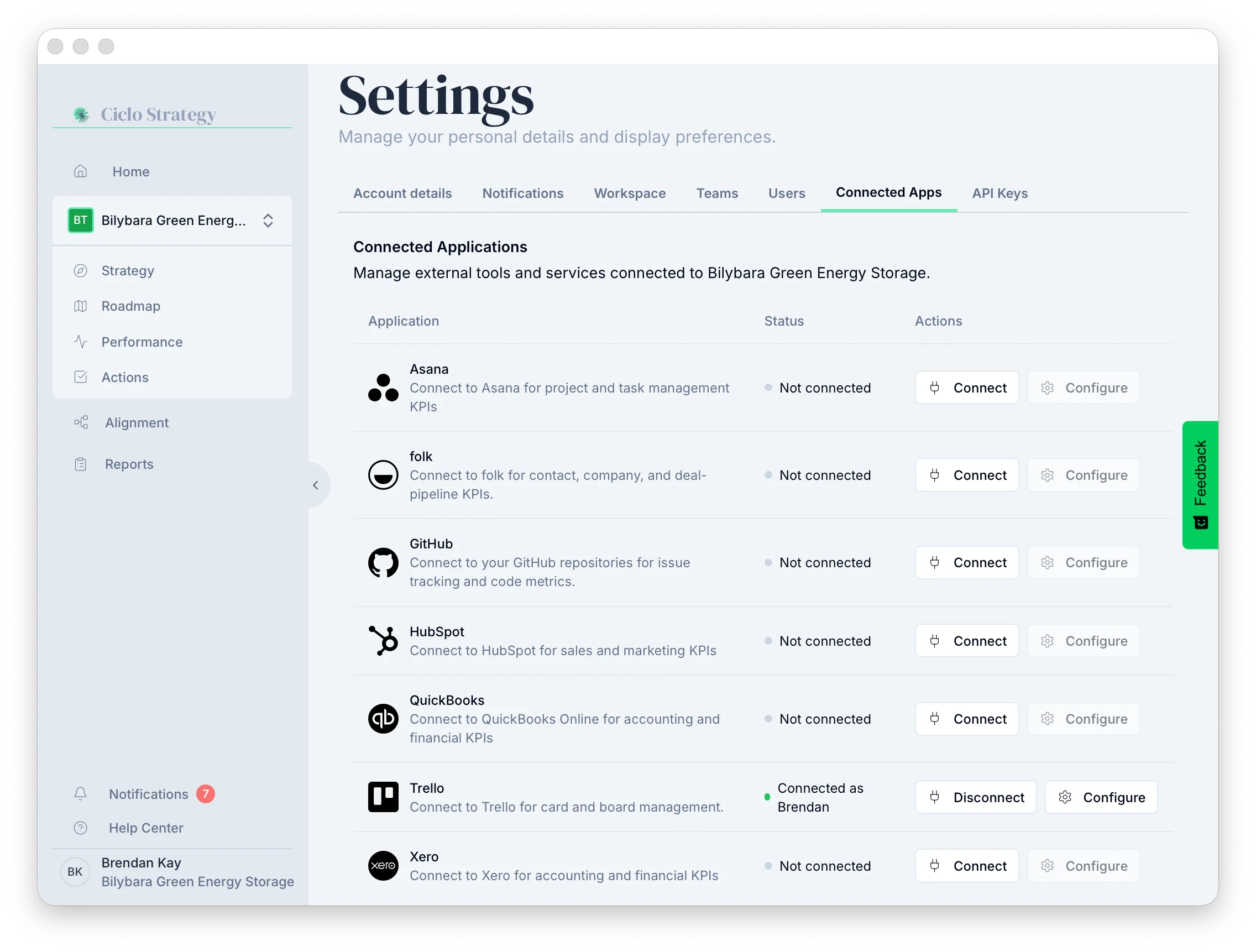
Sign in to QuickBooks
Ciclo sends you to Intuit to sign in to the company you want to connect. If you’re already
signed in, access is granted immediately — there’s no separate approval screen.
Track QuickBooks KPIs
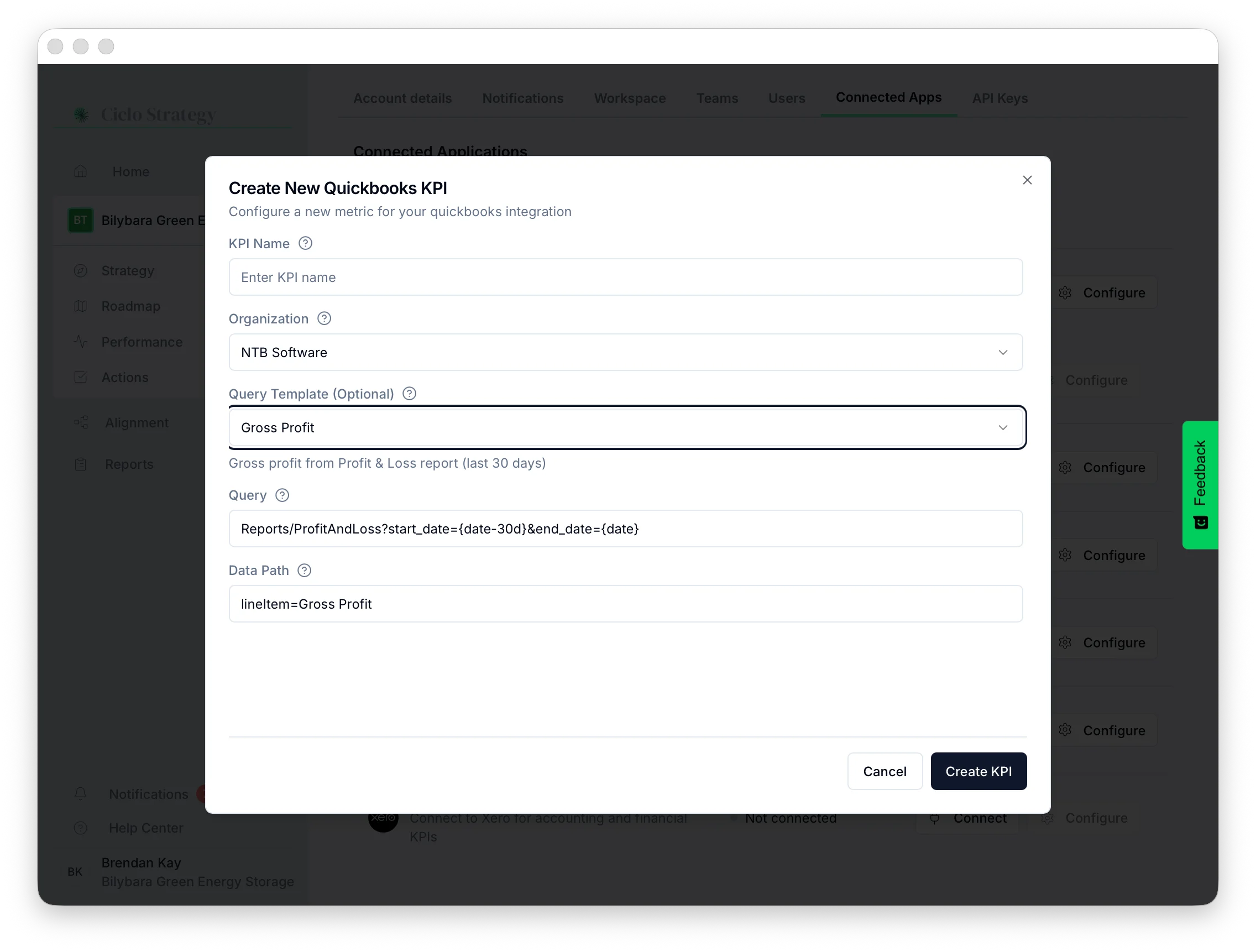
Name it and choose the company
Give the KPI a clear name, then confirm the Company it should report on.
Pick a template
Choose a Query Template as a starting point — see the catalogue below.
Create the KPI
Select Create KPI. It appears on your Performance page
and refreshes automatically.
Available QuickBooks KPIs
Profit & Loss (last 30 days)
Profit & Loss (last 30 days)
- Total Income, Total Expenses, Net Income, Gross Profit.
- Profit Margin — net income as a percentage of income.
Balance Sheet (current)
Balance Sheet (current)
- Total Assets, Total Liabilities, Total Equity.
- Accounts Receivable, Accounts Payable, Cash on Hand.
Invoices
Invoices
- Outstanding Invoices — count of unpaid invoices.
- Outstanding Invoice Value — total unpaid amount.
- Overdue Invoices — count of past-due invoices.
Cash flow (last 30 days)
Cash flow (last 30 days)
- Operating Cash Flow, Investing Cash Flow, Financing Cash Flow.
Customising a KPI (optional)
You don’t need any of this to get great results — the built-in templates are designed to be accurate on their own. Pick a template and you’re done. Expand the sections below only if you want to fine-tune or go further.Tweak a template to fit
Tweak a template to fit
Date-windowed KPIs use a rolling window (e.g. the last 30 days). If a template is close but
not quite right, you can adjust it instead of starting from scratch — for example, change
the reporting period from the last 30 days to the last 90 days by editing
{date-30d} to
{date-90d}. The templates simply fill the Query field in for you; editing it is
optional.Write your own query
Write your own query
Power users can point a KPI at other QuickBooks reports or data queries. For everything
that’s possible, see:
QuickBooks Reports API
The accounting reports and query options QuickBooks Online makes available.
Disconnecting QuickBooks
Select Disconnect on the QuickBooks row. Ciclo shows which KPIs rely on QuickBooks before you confirm.Disconnecting preserves history — KPIs keep their recorded values. They stop syncing
until you reconnect, then resume automatically.