

Overview
Ciclo is organised around teams within your organisation. Each team has its own strategy, roadmap, KPIs, and actions, and every person is given a role on each team that controls what they can do.Teams
- Each team is a self-contained workspace with its own strategy, roadmap, performance, and actions.
- You switch between the teams you belong to using the team selector on the home page.
- Teams are created in Settings → Teams, where each has a name, initials, and colour used as a visual marker across Ciclo. Teams you no longer need can be archived and restored later.
- Many features let you link or import items between teams (a goal, KPI, or initiative), so the organisation stays aligned while each team keeps its own focus.
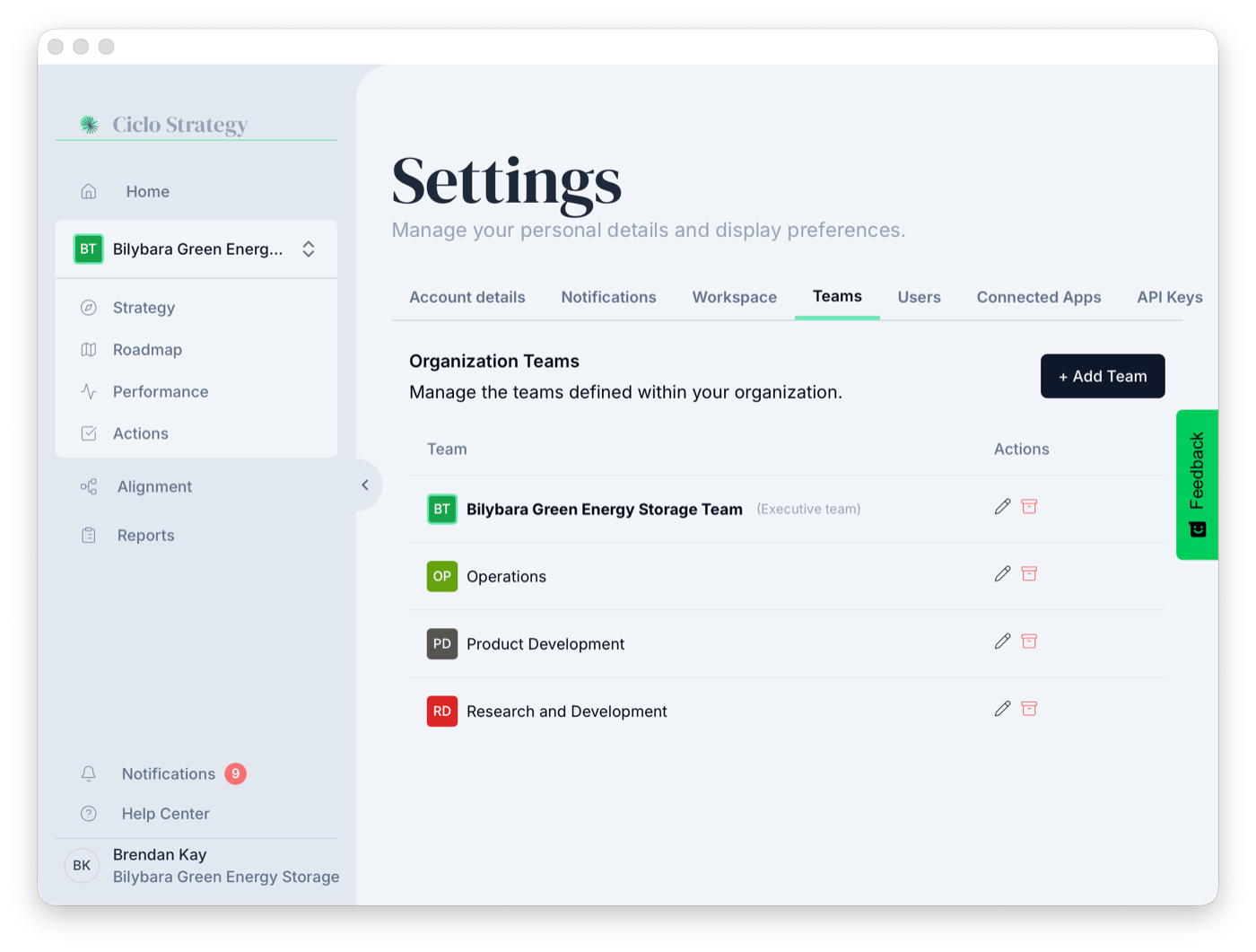
Create and manage teams in Settings → Teams
The Executive Team
One team can be marked as your Executive Team — the origin point for strategy cascading. Strategy elements defined here can flow down to other teams (who import and link them), and the home page’s Are we on track? section follows its headline goals. Setting an Executive Team also improves the quality of Ciclo’s AI analysis.Roles
Each user is assigned a role per team, so someone can be an Admin on one team and a Member on another:Admin
Full control of the team, including its settings and members.
Editor
Can create and edit the team’s strategy, roadmap, KPIs, and actions.
Member
Can participate in and view the team’s work.
You only see the teams you’re a member of. Being added to a team with an appropriate role
is what gives someone access to that team’s data. Some organisation-wide settings are
limited to administrators.
Common tasks
Invite a new member
Add someone and assign their team and role.
Manage teams & roles
Create teams and change roles in Settings.