

Your strategic command centre
When you sign in, the home page consolidates the most important information across all your teams, so you stay focused without switching context.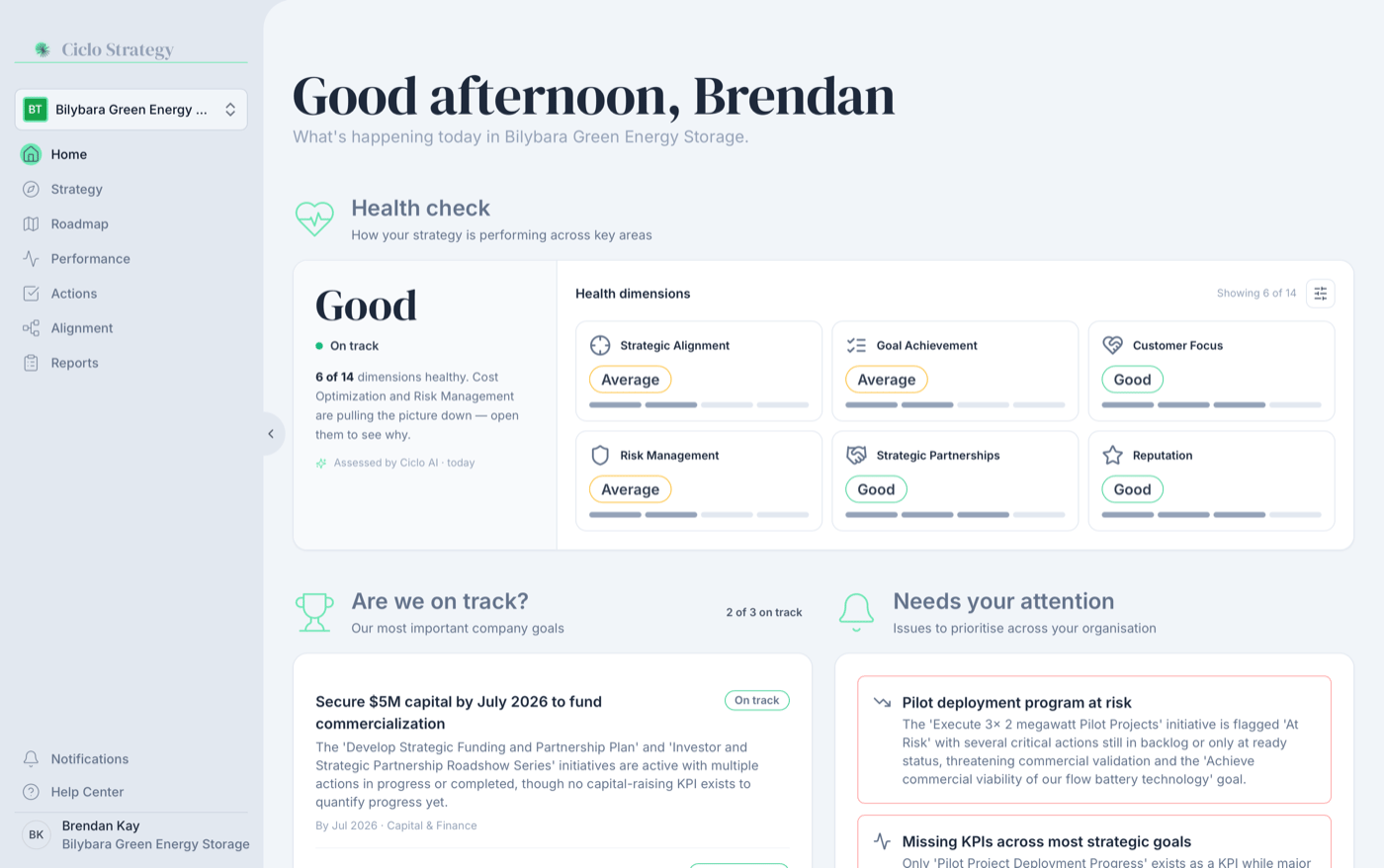
The home page brings strategy and execution together in one view
Health Check
An AI read on your organisation’s strategic health across all teams (see below).
Are we on track?
Your most important company goals, each with a status and live progress from your KPIs.
Needs your attention
The issues to prioritise across your organisation, ranked by severity.
My To-Do List
Your own actions and your teams’ initiatives, across every team you belong to.
The Health Check
At the top of the home page, the Health Check gives you an AI-generated read on the strategic health of your whole organisation — not just one team. It reviews the strategy, roadmap, KPIs, and actions across all your teams and rates how well each area is being executed.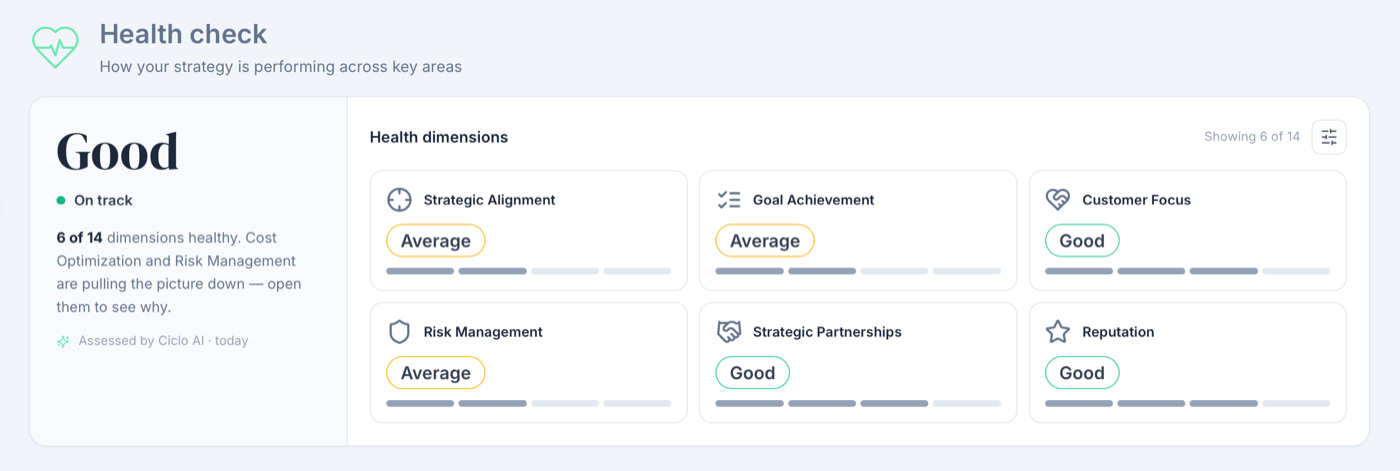
An at-a-glance health check across all your teams
- A short summary of where things stand.
- Evidence drawn from your own goals, initiatives, and KPIs to back up the assessment.
The Health Check is assessed by Ciclo AI from your live data and refreshes automatically
(about once a day), so it stays in step with your latest goals, initiatives, and
progress. While a fresh assessment is being prepared, the previous one stays on screen —
you’ll see a Refreshing assessment indicator in the summary panel. It’s the
organisation-wide companion to the per-team AI insights
you’ll find on the Strategy, Roadmap, Performance, and Actions pages.
Choose which dimensions to display
Every assessment covers all 14 dimensions of strategic health — you choose which of them appear on your home page. New accounts start with Strategic Alignment, Goal Achievement, Innovation, and Customer Focus.1
Open the dimension picker
Click the sliders button at the top-right of the Health Check, next to
Showing x of 14.
2
Tick the dimensions you care about
Each option shows its current rating, so you can see at a glance which areas deserve a
spot. Changes apply immediately — there’s nothing to save.
Are we on track?
Below the Health Check, Are we on track? follows your organisation’s most important goals — typically your Executive Team’s headline goals. Each one shows:- A status — On track, At risk, or Off track — judged by this quarter’s execution pace. A goal that’s too new to judge is marked On track · early.
- Live progress when a KPI measures the goal: the current value against its target, with a progress bar. These numbers come straight from your KPI data — the AI never invents them.
- The reasoning behind every status — click a goal’s status pill to see the one-sentence rationale Ciclo AI gave for its assessment. For goals without a measuring KPI, the rationale also appears in the row itself.
Needs your attention
Alongside your goals, Needs your attention lists the issues to prioritise across the whole organisation — initiatives at risk, missing KPIs or owners, weak health dimensions, and other risks the assessment has picked up — ranked by severity.My To-Do List
The bottom of the home page is about you. Use the team selector in the heading to focus on a single team or keep All teams in view.- My next actions — every open action assigned to you, in one list with the most urgent at the top. Each shows its due date (Overdue, Today, Tomorrow, …) or its board status while it’s undated. Click an action to open it on the team’s Actions board.
- What I’m driving — your teams’ initiatives, organised by horizon (Now / Next / Later), each with its status and the goal it supports. Click one to open its detail on the Roadmap.
Switching between teams
Ciclo organises work by team, so you can focus on different parts of your organisation without changing how you work.1
Find the team selector
It’s on the left side of the screen.
2
Choose a team
Click it to see every team you belong to, and select one.
3
Everything updates
All page content switches to show data for the selected team.
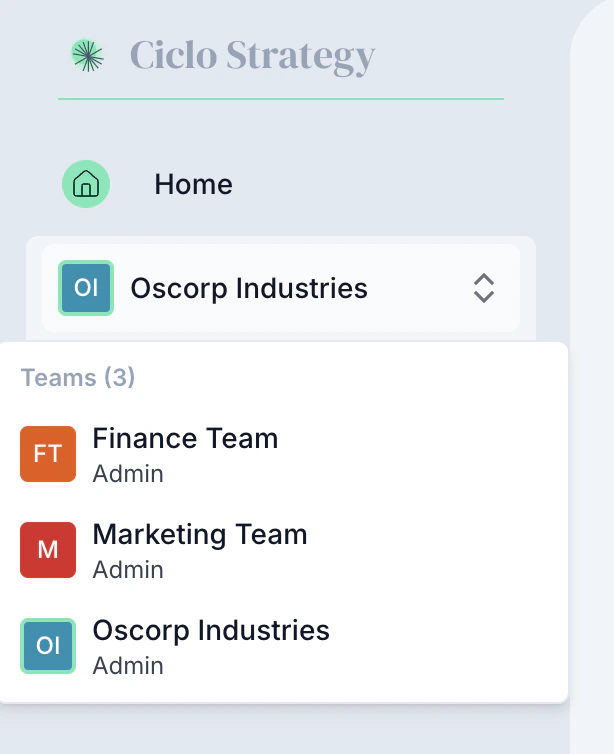
Switch teams from the team selector
The four main pages
Every team has four dedicated pages that cover the full strategy lifecycle, reachable from the sidebar:
You’ll also find the Alignment and Reports
sections in the sidebar, with notifications, the Help Center, and your profile and
settings at the bottom.
The Ciclo workflow
For the most value, follow this cycle:1
Define strategy
Articulate your vision, goals, and targets on the Strategy page.
2
Plan execution
Organise initiatives by horizon on the Roadmap.
3
Track performance
Set up KPIs on the Performance page.
4
Manage day-to-day
Track tasks and progress on the Actions board.
5
Review and adjust
Return to the home page regularly to keep the big picture in view.